 Windows x64 only
Kodarr beta
An AI-native IDE for running and repairing infrastructure: chat, an agent that proposes changes before it makes them, and terminals across your whole fleet at once.
Download the installerWhen you download it
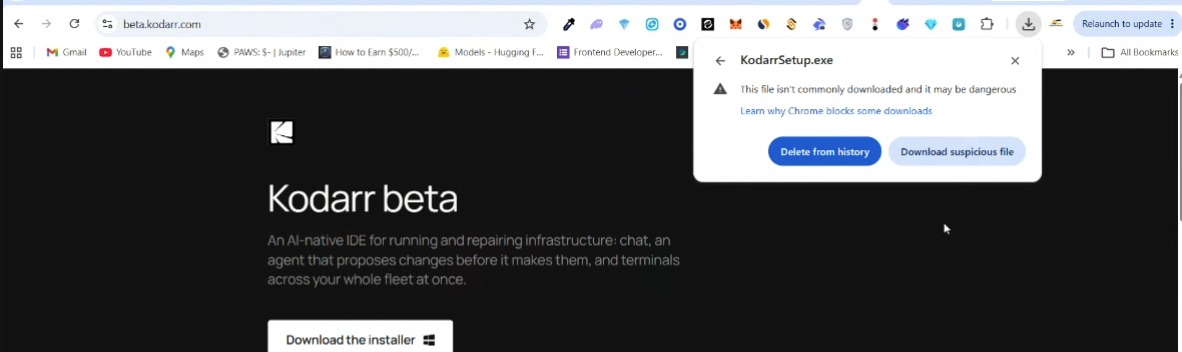
Your browser will warn you twice
Both warnings are expected for an unsigned installer. They are not a sign anything is wrong, and not a reason to stop.
First, after you click Download, the browser flags the file. Click it to keep it.
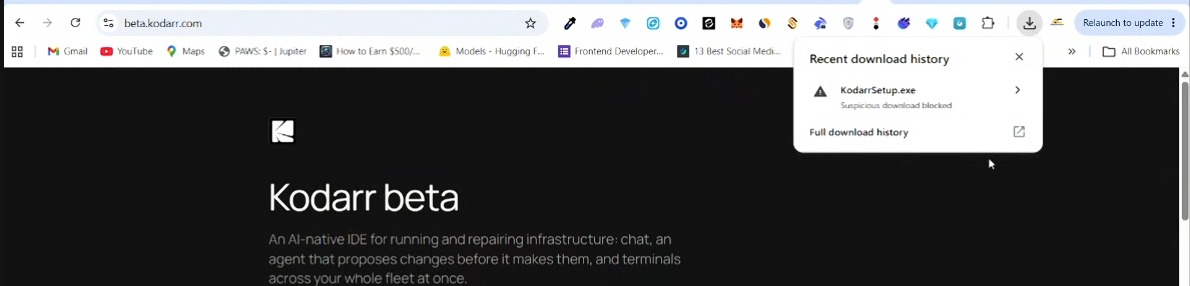
Then a second prompt appears. Choose Download suspicious file.
Before you run it
Windows will say “Unknown publisher”
Once the file is downloaded, running it brings up SmartScreen. Two more clicks, both expected for an unsigned installer.
First, SmartScreen shows “Windows protected your PC”. Click More info.
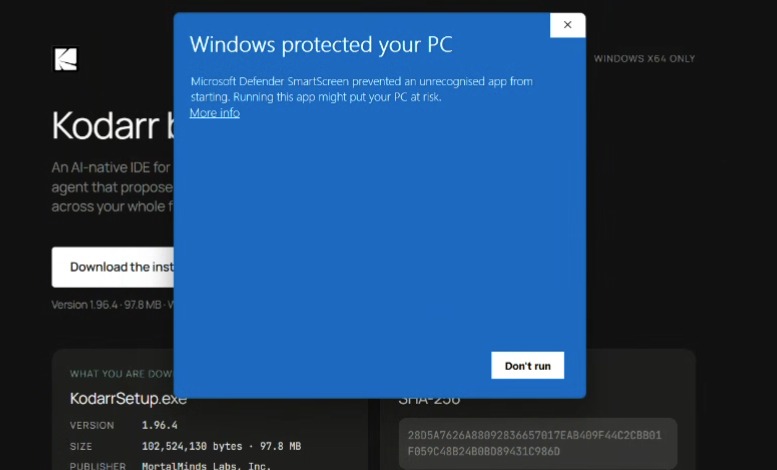
Then it expands to show a Run anyway button. Click it.
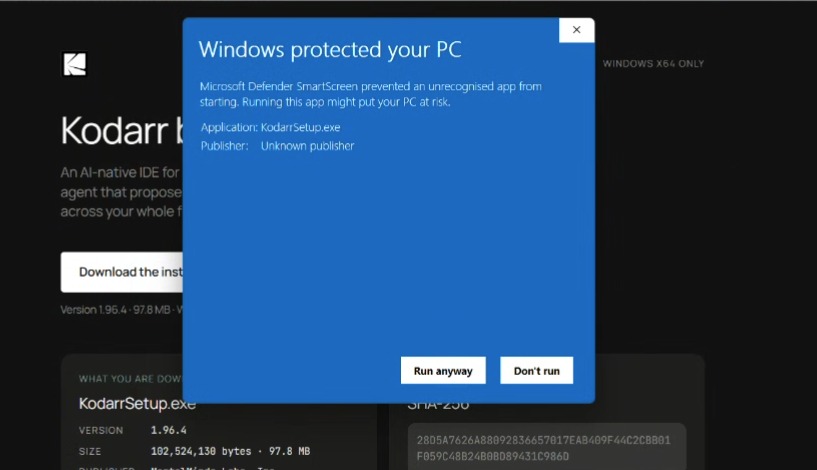
“Unknown publisher” is expected, and does not contradict the publisher shown below. Windows reads “Unknown publisher” because the installer is not signed yet, so it cannot verify who produced it. The name MortalMinds Labs, Inc. is stamped into the file itself and shows in its Properties → Details. One is the signature Windows is missing; the other is the file’s own description.
Why it warns
The installer is unsigned
Code Signing for this application has not been completed yet, we are currently working on it.
What you are downloading
KodarrSetup.exe
- Version
- 1.96.4
- Size
- 103,466,265 bytes · 98.7 MB
- Publisher
- MortalMinds Labs, Inc.
Verify it
SHA-256
804F92691D194D484EE01E5B19569D835CF1A98E13E571B159CDE7996D707F29
Check yours with Get-FileHash .\KodarrSetup.exe -Algorithm SHA256 in PowerShell.
If it does not match, do not run it, tell us instead.
Tell us what broke
Feedback
Anything at all: a crash, a wrong answer, a button that does nothing, or a thing that was simply annoying. Rough notes are more useful than none.